
Choose your source documents
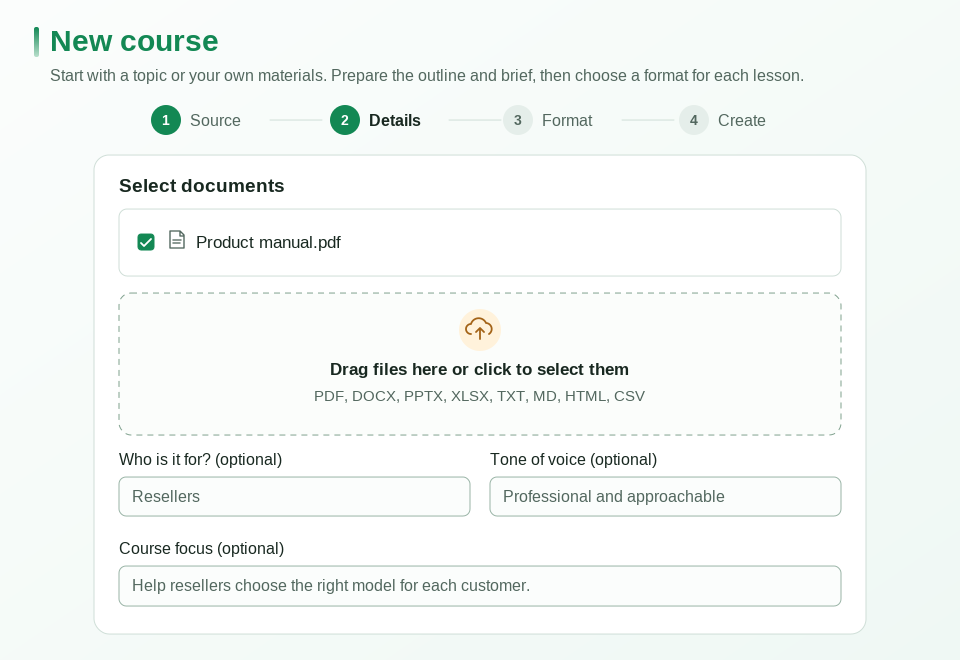
Select documents already in K.Coach or drag your files into the upload area. You can start with a PDF, combine it with other materials or create a course directly from DOCX, PPTX, XLSX, TXT, MD, HTML or CSV files.
To guide the result, describe who the course is for, what tone to use and what you want to teach. For example, you could use a product manual to help resellers choose the right model for a customer’s needs.
K.Coach drafts the course outline
The AI reads the documents you selected and arranges the topics into a sequence of lessons. Once the outline is ready, review the suggested titles, rename lessons or remove any you don’t need.
Choose your lesson formats
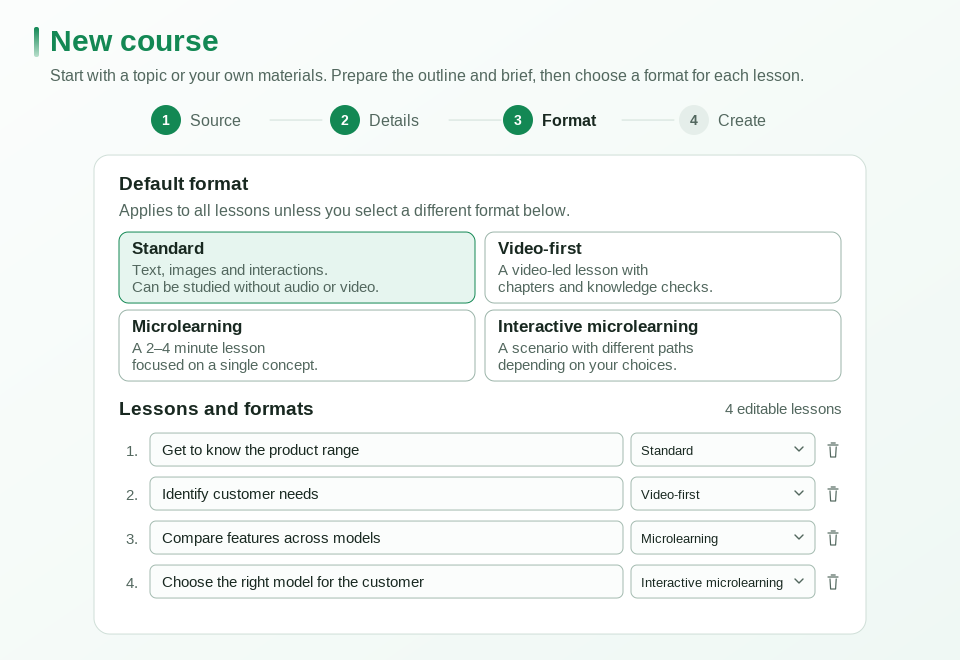
Set a default format for the whole course. Then, under “Lessons and formats”, change the format for any lessons you want to present differently.
- Standard
- Text, images and interactive elements. Learners can follow the lesson without audio or video.
- Video-first
- A video leads learners through the lesson, with chapters and knowledge checks.
- Microlearning
- A 2–4 minute lesson on a single concept, introduced by a short video.
- Interactive microlearning
- A scenario in which learners make decisions and see how their choices affect the outcome.
Choose what to include and check the estimate
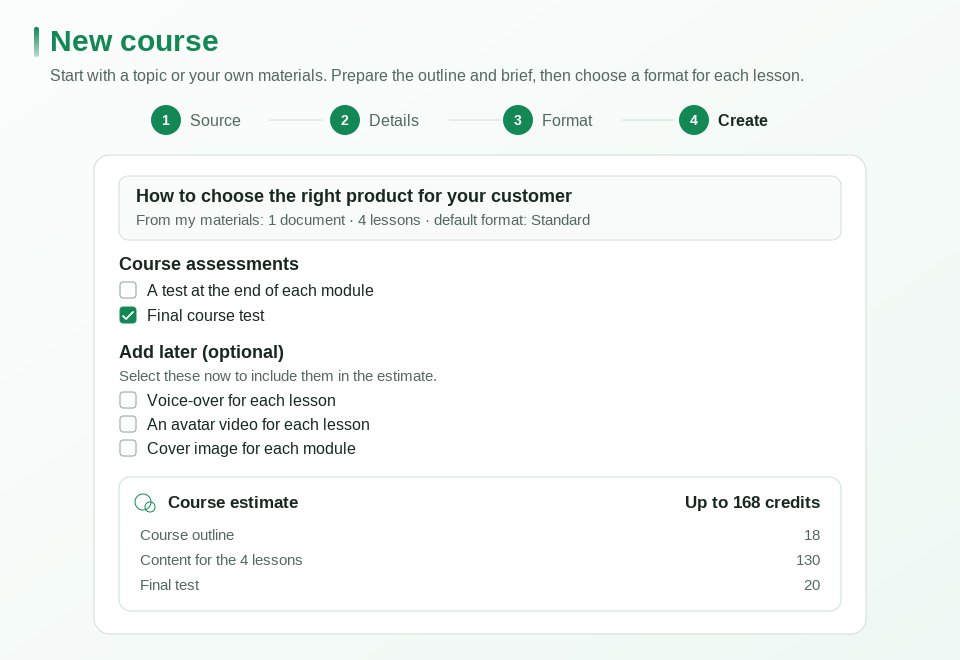
Choose a quiz at the end of each module, a final course quiz or both. You can also include a voice-over or an avatar video for each lesson and a cover image for each module in the estimate. You can generate these elements later.
The “Course estimate” panel lists each item and shows the maximum number of credits for your chosen configuration.
Generate your course
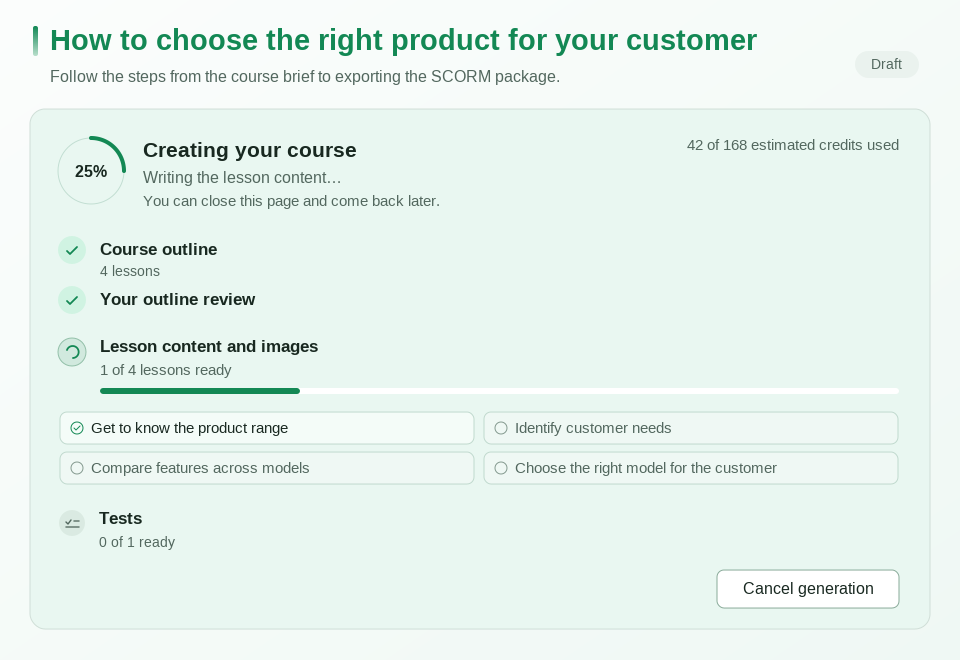
Confirm your settings and start generating the course. K.Coach shows which lessons are ready, which content it’s working on and how many credits it has used against the estimate.
K.Coach keeps working even if you close the page. You can return later to check progress.
Export the course as a SCORM package
Once your course is ready, export it from K.Coach as a SCORM package. You can upload the package to K.LMS or to the SCORM-compatible LMS your company already uses.